
Blog
Excel for Accountants: Shortcuts + Cheat Sheet
Written by Trovata Team
September 16th, 2020
Everyone knows that Accountants and Excel are a truly dynamic duo, but working in Excel can be tedious and tiring. While spreadsheets are an integral part of an accountant's day, here at Trovata, we want to ensure you don't spend more time in Excel than you need to.

Without any further ado, here are ten Excel shortcuts that can help accounting professionals, like you, zip through any (virtual) pile of spreadsheets.
CTRL + H and CTRL + F
These two commands allow you to find and replace specific values in your spreadsheet. If you are looking for a specific word or value, use CTRL + F to find it.
If you are replacing a specific value then CTRL + H will open up the replace tab of the Find and Replace window. This can be extraordinarily helpful when formatting a template or existing spreadsheet to new accounts.
Shift + F2
When it comes to collaboration, Shift + F2 is key. This command allows you to quickly create and modify comments in the spreadsheet.
CTRL + Shift + Space
This command allows you to select all of the cells that contain values in a spreadsheet. Need to make a batch format correction? Use CTRL + Shift + Space.
CTRL + Shift + {
This command allows you to view all of the cells that are directly or indirectly referred to by the formula in the active cell.
CTRL + Shift + $
This simple command allows you to format all of the selected cells as currency.
ALT + =
This command will take the sum of all the values above or to the left of a selected cell.
ALT + N + V
Use this command to insert a pivot table into your spreadsheet.
ALT + F11
Make a selection from your spreadsheet, then use this command to insert a chart from the selected data.
CTRL + Page Up and CTRL + Page Down
These commands can be used to easily switch between tabs in a spreadsheet.
CTRL + ~
CTRL + ~ will allow you to see any formulas that have applied to a selected cell.
BONUS: CTRL + S
Use this command to save your work. While I am sure this command is not new to anyone, it is one of the most important steps when it comes to saving time in Excel. Avoid lost work and SAVE CONSTANTLY.
Manage Cash in a Purpose-Built Platform Over Spreadsheets
While these tips can help minimize the monotony of data entry, they pale in comparison to the time saved by implementing automation technology.
Does your cash flow management process look like this?
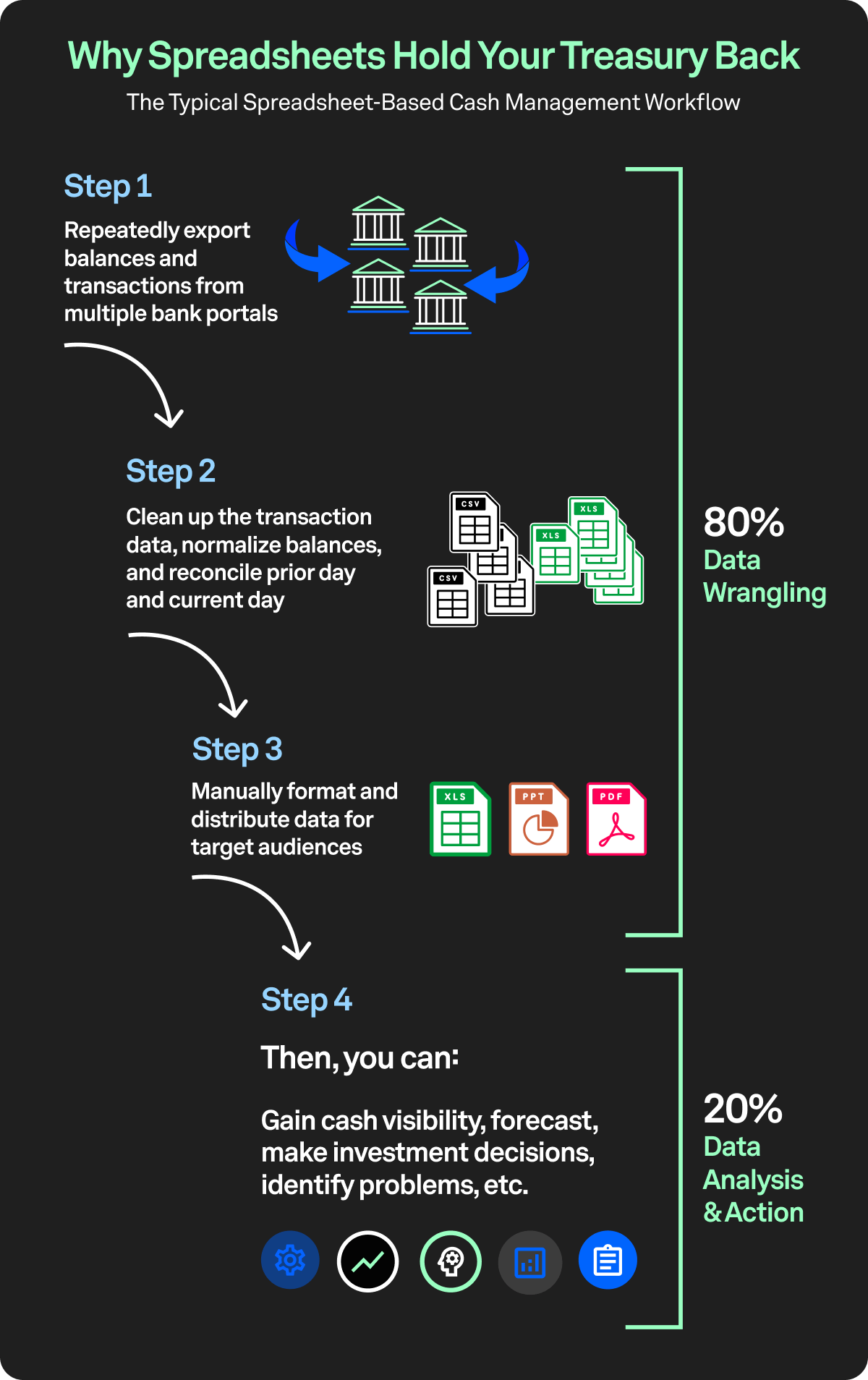
If so, you should try automating bank data aggregation with a cash flow management platform.
If you are looking for real speed, Trovata uses open banking APIs which directly connect to your bank plus AI and machine learning to automate many of the tedious manual workflows associated with cash management.
When you are ready to say goodbye to the days of endless Excel spreadsheets, click here to learn about Trovata’s low-lift, low-cost cash management solution.


Trovata Team
Trovata helps businesses automate the work it takes to gather and normalize all of its financial data. Our cloud-native platform lets finance and treasury teams access, build, manage, and control their own trove of financial data – from banks, business & accounting systems, and external markets – connecting to these sources in minutes. We help CFOs answer simple questions that are difficult to answer without doing hours or days of work like, “How much cash do we have right now and where is it going?” This lets us intelligently drive efficiencies through transparent visualization, workflow automation, and machine learning that can transform financial operating performance.
Subscribe to Newsletter
You May Be Interested In These Other Resources